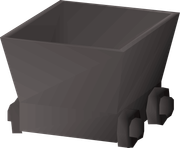
| Mine cart | |||||||||||||||||||
|---|---|---|---|---|---|---|---|---|---|---|---|---|---|---|---|---|---|---|---|
 | |||||||||||||||||||
| Released | 21 December 2004 (Update) | ||||||||||||||||||
| Members | Yes | ||||||||||||||||||
| Location | Abandoned Mine | ||||||||||||||||||
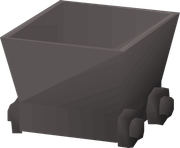
| Examine | Big, metal and wheeled. | ||||||||||||||||||
| Map | |||||||||||||||||||
| ? (edit) | |||||||||||||||||||
| Advanced data | |||||||||||||||||||
| NPC ID | 3621 | ||||||||||||||||||
| Link | MOID | ||||||||||||||||||
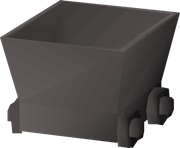
Mine carts are found throughout the Abandoned Mine. They can be found as stationary scenery, moving obstacles, and interactive item transport.
Scenery
The Abandoned Mine still has much of its mining infrastructure intact. Mine carts can be found throughout the mine, presumably left where they were when the mine was abandoned. Some are found stationary on their rails, some taken off their rails and set on the ground, and some are stuck blocking various mine tunnels.
Moving obstacles
Some mine carts are haunted and move on their own. These are found on levels three and six. They move back and forth along their track, and they will push and damage anyone in their way. They move at standard walking speed. These form obstacles that they player must navigate around to proceed through the mine levels.
Glowing fungus transport
Two mine carts, found on level four, can be used to transport glowing fungus from the south side of the level to the north side. These carts are used during the Haunted Mine quest to transport a glowing fungus through the mine without it going outside.
Each mine cart can store one fungus sample at a time. To add a fungus to the south cart, use it on the mine cart. To remove it, 'Search' the mine cart and choose the 'Take it' option. The north cart can only be searched to remove the fungus.
To move the mine cart, and align the points properly to get it to its destination, 'Check' the points settings found near the middle of the level. If the south cart reaches the north end of the tracks successfully, any fungus stored in the south cart will be placed in the north cart. It will stay there until removed, even if additional carts are sent afterwards, regardless of the contents of the south cart or if it makes it to the other side successfully.