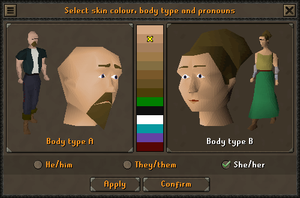
A makeover is a feature that allows players to change their character's appearance chosen during the tutorial. Their appearance can be changed after the tutorial, free of charge, in several places.
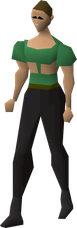
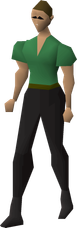
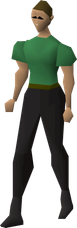
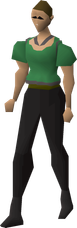
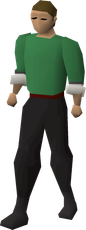
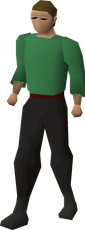
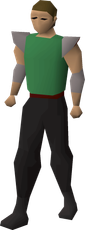
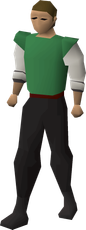
Appearance features that can be customised include hair, facial hair, body type, pronouns, torso, sleeves, bottoms, shoes, and wristwear. All features can be changed by visiting any of the non-player characters that grant access to the makeover interface and clicking the button on the top left.
Players can also change their hair at a dresser and their clothing at a wardrobe in a player-owned house bedroom. Unlike other makeover services, the styles and colours are chosen randomly, and players may have to do it multiple times to get the desired result.
Makeover access
| Appearance change | Character | Location |
|---|---|---|
| Any | Makeover Mage | South-west of Falador, north of the Crafting Guild. |
| Hairdresser | North-western Falador, just north of the western bank. | |
| Chris (on Emir's Arena worlds) | Emir's Arena, near the bank. | |
| Emma | Eastern Varrock, north of the Varrock Museum. | |
| Floria (in Demonic Pacts League) | Civitas illa Fortis | |
| Sonalo | Cam Torum, south of the bank. | |
| Thessalia | Varrock, south-west of the central fountain. | |
| Yrsa (after The Fremennik Trials) | Rellekka, west of the marketplace. | |
| Wristwear | Wardrobe space (Oak drawers or better) | Bedroom of a player-owned house. |
| Shoe style | Wardrobe space (Shoe box or better) | Bedroom of a player-owned house. |
| Pronouns | Can be adjusted in the settings any time without needing to visit an NPC. | |
Hair and facial hair
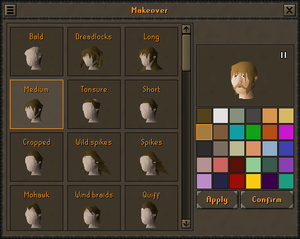
Players can choose from 57 hairstyles and 15 choices of facial hair. There are additionally 30 possible colours for hair.
Body types
Players can choose between body type A and body type B for their character.
The pronouns players can choose include: "He/him", "They/them", and "She/her". If "They/them" is not the previously selected preferred pronoun setting, then selecting body type A and B will result in the pronouns setting automatically changing to "He/him" and "She/her" respectively.
There are 14 total skin colours available for player characters. Four of those (green, black, white, and blue) are only available if a Halloween event has been completed since release of the respective colour. Players who had linked their Twitch Prime account to their game account between 26 July and 19 September 2018 had early access to an additional purple skin colour. This skin colour was made available to everyone in an update on 20 September 2018. Red was added with the end of the Demonic Pacts League on 11 June 2026, but requires showing a demonic skin contract to the Makeover Mage to unlock.
| #d5a985 | #bb8f6a | #a47f5d | #9e7a49 | #836e42 | #79582a | #644e24 | #4c3d09 | #007f00 | #0f0f0f | #ffffff | #05989f | #6441a4 | #6E0907 |
Clothes
Torsos
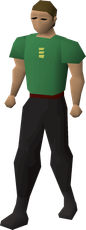
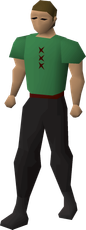
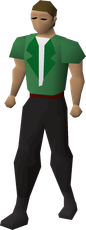
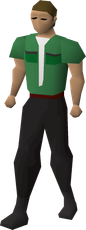
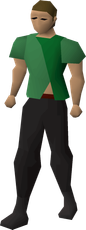
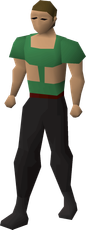
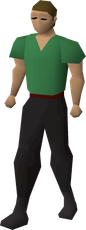
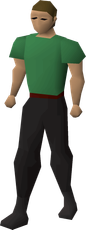
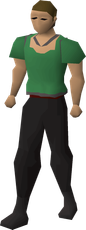
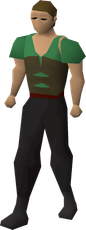
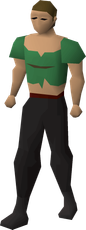
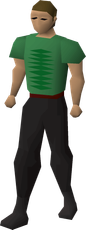
Body type A
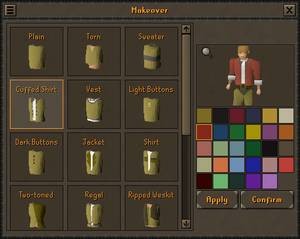
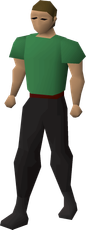
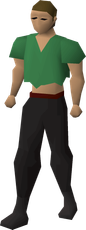
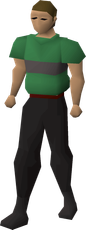
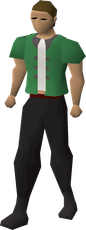
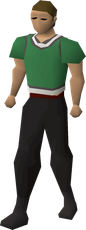
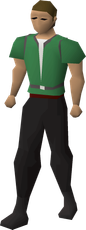
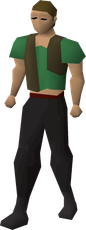
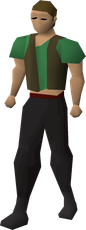
The other default clothing worn in these images are the "short" sleeves and "plain" bottoms.
| Plain | Torn | Sweater | Cuffed Shirt | Vest | Light Buttons | Dark Buttons | Jacket | Shirt | Two-toned |
|---|---|---|---|---|---|---|---|---|---|
|
|
|
|
|
|
|
|
|
|
| Regal | Ripped Weskit | Torn Weskit | Crop Top | Polo Neck | Simple | Frilly | Corsetry | Bodice | Stitching |
|---|---|---|---|---|---|---|---|---|---|
|
|
|
|
|
|
|
|
|
|
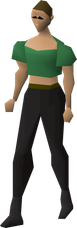
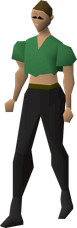
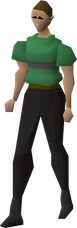
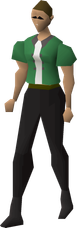
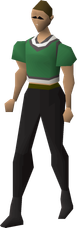
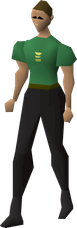
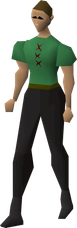
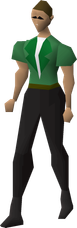
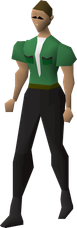
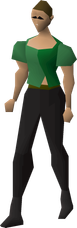
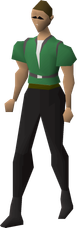
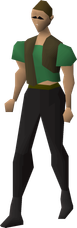
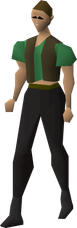
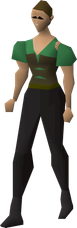
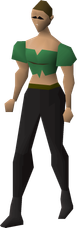
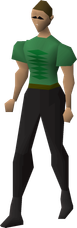
Body type B
The other default clothing worn in these images are the "short" sleeves and "plain" bottoms.
| Plain | Torn | Sweater | Cuffed Shirt | Vest | Light Buttons | Dark Buttons | Jacket | Shirt | Two-toned |
|---|---|---|---|---|---|---|---|---|---|
|
|
|
|
|
|
|
|
|
|
| Regal | Ripped Weskit | Torn Weskit | Crop Top | Polo Neck | Simple | Frilly | Corsetry | Bodice | Stitching |
|---|---|---|---|---|---|---|---|---|---|
|
|
|
|
|
|
|
|
|
|
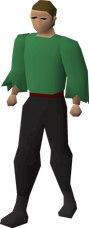
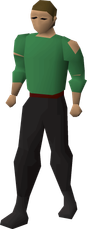
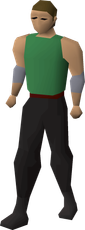
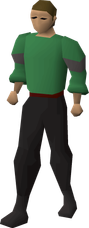
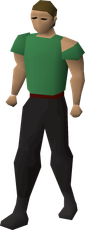
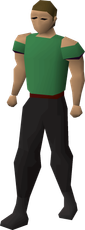
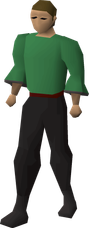
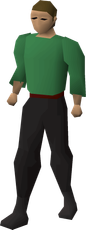
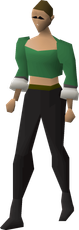
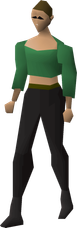
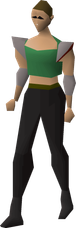
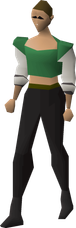
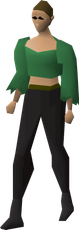
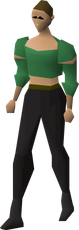
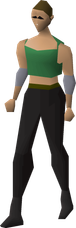
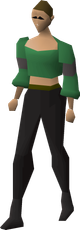
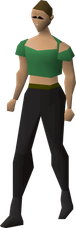
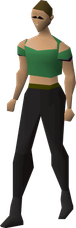
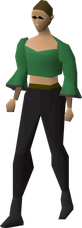
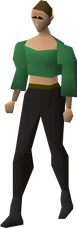
Sleeves
Body type A
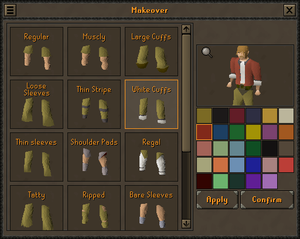
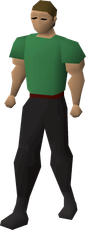
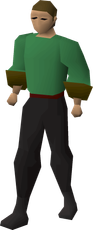
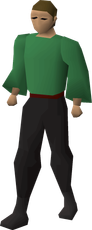
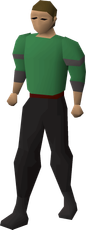
The other default clothing worn in these images are the "plain" top and "plain" bottoms.
| Regular | Muscly | Large Cuffs | Loose Sleeves | Thin Stripe | White Cuffs | Thin sleeves | Shoulder Pads | Regal |
|---|---|---|---|---|---|---|---|---|
|
|
|
|
|
|
|
|
|
|
| Tatty | Ripped | Bare Sleeves | Thick Stripes | Tatty Shoulders | Bare Shoulders | Frilly | Long Sleeved |
|---|---|---|---|---|---|---|---|
|
|
|
|
|
|
|
|
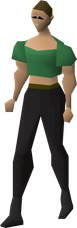
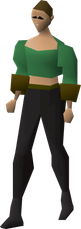
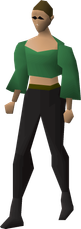
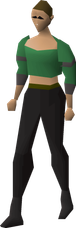
Body type B
The other default clothing worn in these images are the "plain" top and "plain" bottoms.
| Regular | Muscly | Large Cuffs | Loose Sleeves | Thin Stripe | White Cuffs | Thin sleeves | Shoulder Pads | Regal |
|---|---|---|---|---|---|---|---|---|
|
|
|
|
|
|
|
|
|
|
| Tatty | Ripped | Bare Sleeves | Thick Stripes | Tatty Shoulders | Bare Shoulders | Frilly | Long Sleeved |
|---|---|---|---|---|---|---|---|
|
|
|
|
|
|
|
|
Bottoms
Body type A
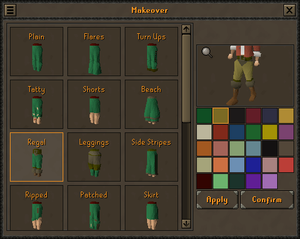
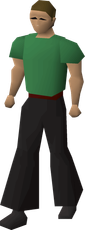
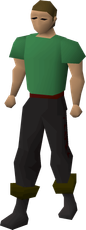
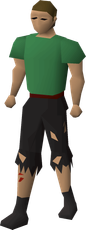
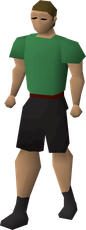
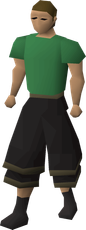
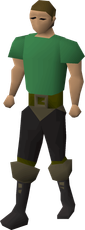
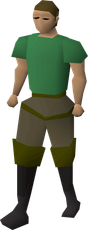
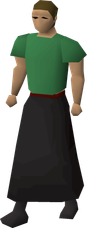
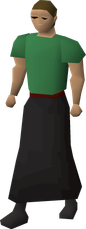
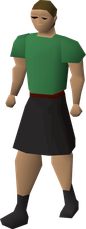
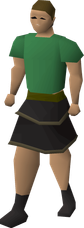
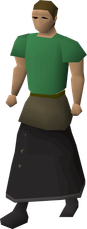
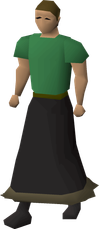
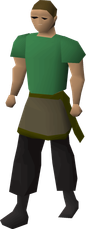
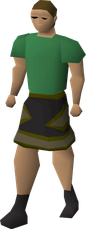
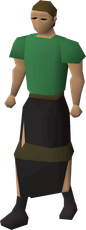
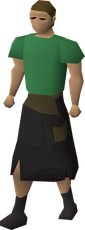
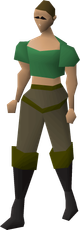
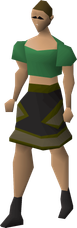
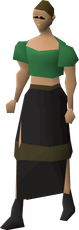
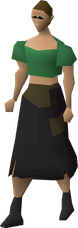
The other default clothing worn in these images are the "plain" top and "short" sleeves.
| Plain | Flares | Turn Ups | Tatty | Shorts | Beach | Regal | Leggings | Side Stripes | Ripped | Patched |
|---|---|---|---|---|---|---|---|---|---|---|
|
|
|
|
|
|
|
|
|
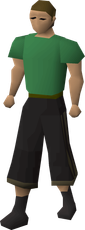
|
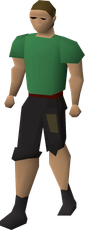
|
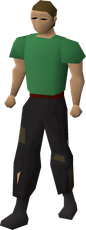
|
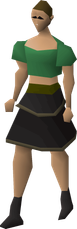
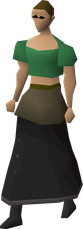
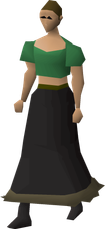
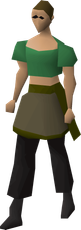
| Skirt | Long Skirt | Narrow Skirt | Short Skirt | Layered | Sash and Dots | Big Hem | Sash and Trousers | Patterned | Torn Skirt | Patched Skirt |
|---|---|---|---|---|---|---|---|---|---|---|
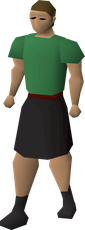
|
|
|
|
|
|
|
|
|
|
|
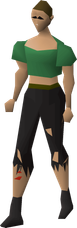
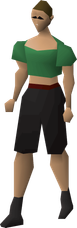
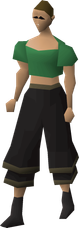
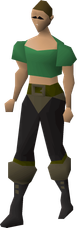
Body type B
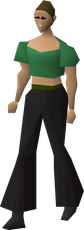
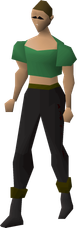
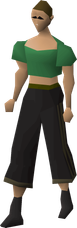
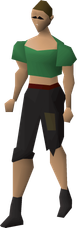
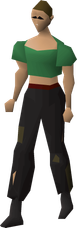
The other default clothing worn in these images are the "plain" top and "short" sleeves.
| Plain | Flares | Turn Ups | Tatty | Shorts | Beach | Regal | Leggings | Side Stripes | Ripped | Patched |
|---|---|---|---|---|---|---|---|---|---|---|
|
|
|
|
|
|
|
|
|
|
|
|
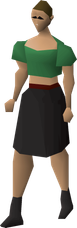
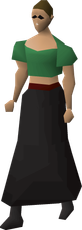
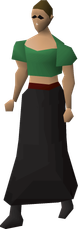
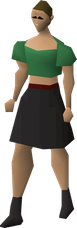
| Skirt | Long Skirt | Narrow Skirt | Short Skirt | Layered | Sash and Dots | Big Hem | Sash and Trousers | Patterned | Torn Skirt | Patched Skirt |
|---|---|---|---|---|---|---|---|---|---|---|
|
|
|
|
|
|
|
|
|
|
|
Clothing colours
Players can have different colours for their torso and bottoms.
| #7b6e32 | #262323 | #752F3b | #3b3b4e | #aa9045 | #ada481 | #8b3b2a | #2d5272 |
| Khaki | Charcoal | Crimson | Navy | Straw | White | Red | Blue |
| #2d723e | #a3970d | #83537b | #9f642f | #a17067 | #829472 | #728c94 | #1c6135 |
| Green | Yellow | Purple | Orange | Rose | Lime | Cyan | Emerald |
| #101010 | #404040 | #f8d890 | #f8be82 | #9696ff | #0000ff | #ffbebe | #c85032 |
| Black | Grey | Onion | Peach | Lumbridge Blue | Deep Blue | Light Pink | Cadmium Red |
| #952800 | #c7fec7 | #007878 | #960096 | #fe95fe | |||
| Maroon | Pale Green | Turquoise | Deep Purple | Light Purple |
Shoes
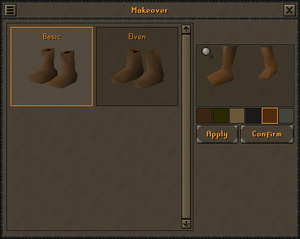
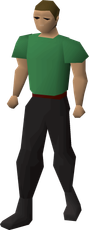
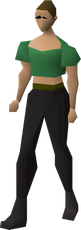
Players can choose from the basic and elven styles and have 6 different colour choices.
Body type A
| Basic | Elven |
|---|---|
|
|
|
Body type B
| Basic | Elven |
|---|---|
|
|
|
Shoe colours
| #3c2412 | #2a2901 | #6b5839 | #1c1919 | #4e2b0f | #44443c |
| Brown | Khaki | Ashen | Dark | Terracotta | Grey |
Wristwear
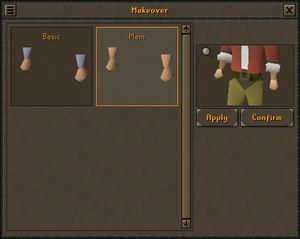
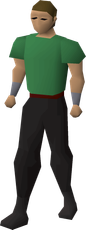
Players can choose either basic wristwear with metal cuffs, or plain wristwear.
Body type A
| Basic | Plain |
|---|---|
|
|
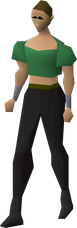
Body type B
| Basic | Plain |
|---|---|
|
|
Changes
| Date | Changes |
|---|---|
| 15 January 2025 (Update) |
The player's armour will no longer occasionally remain invisible after using the makeover interface. |
| 14 August 2024 (Update) |
Any aspect of the player's default appearance can now be changed via the makeover interface, via any of the vendors available for changing appearance. |
| 9 November 2022 (Update) |
Changing any aspect of the player's default appearance was made free of charge as part of the Diversity & Inclusion updates, including the services provided by Yrsa’s Shoe Shop in Rellekka, Thessalia's Shop in Varrock, the Hairdresser's in Falador, and the Makeover Mage. |
| 29 October 2015 (Update) |
White and black have been added to the skin colour options at the makeover mage. |
| 20 March 2014 (Update | poll) |
|
Trivia
- Before an update on 14 August 2024, specific appearance features could have only been changed by specific characters (as in, Yrsa only changed players' shoes). Thessalia's Makeovers and Yrsa's Shoe Store served as the interfaces for changing them before their removal in the update.
- Before the same update on 14 August 2024, shoes were the only piece of standard clothing that could not be changed on a free-to-play world, due to Yrsa's Shoe Store's location.
- Between 14 August and 25 September 2024, walking out of the interface would have resulted in the cancelling out of custom weapon walking animation back to default animations (e.g. one-handed godsword in members worlds). Furthermore, walking out of the interface whilst attempting to change body types would have resulted in the player's Worn Equipment not being shown at all, not even to other players. Changing equipment, teleporting, or logging out fixed these issues.
- Some equipment models use the colours of the default player model, and can therefore have a different appearance depending on the chosen colours in the makeover interface. The effect depends on the specific item.
- Shoe colour: Ancient ceremonial top, Beginner wand, Desert legs, Dragon axe (or), Dragon harpoon (or), Dragon pickaxe (or), Gravedigger boots, Infernal axe (or), Infernal harpoon (or), Infernal pickaxe (or), Larupia hat, Larupia legs, Larupia top, Lyre, Paddle, Protest banner, Royal frog leggings, Star-face, Trailblazer banner, and V's shield.
- Torso colour: Moonclan gloves.
- Skin colour: Fairy heraldic banner, Fairy heraldic kiteshield, and the animation while drinking Shrink-me-quick.
- Hair colour: Branch, Easter basket, Jogre heraldic kiteshield, and Stick.